
✨ Featured sponsor: CodeRabbit — Industry-leading AI code reviews.
Memos

Your thoughts, your data, shared on your terms.
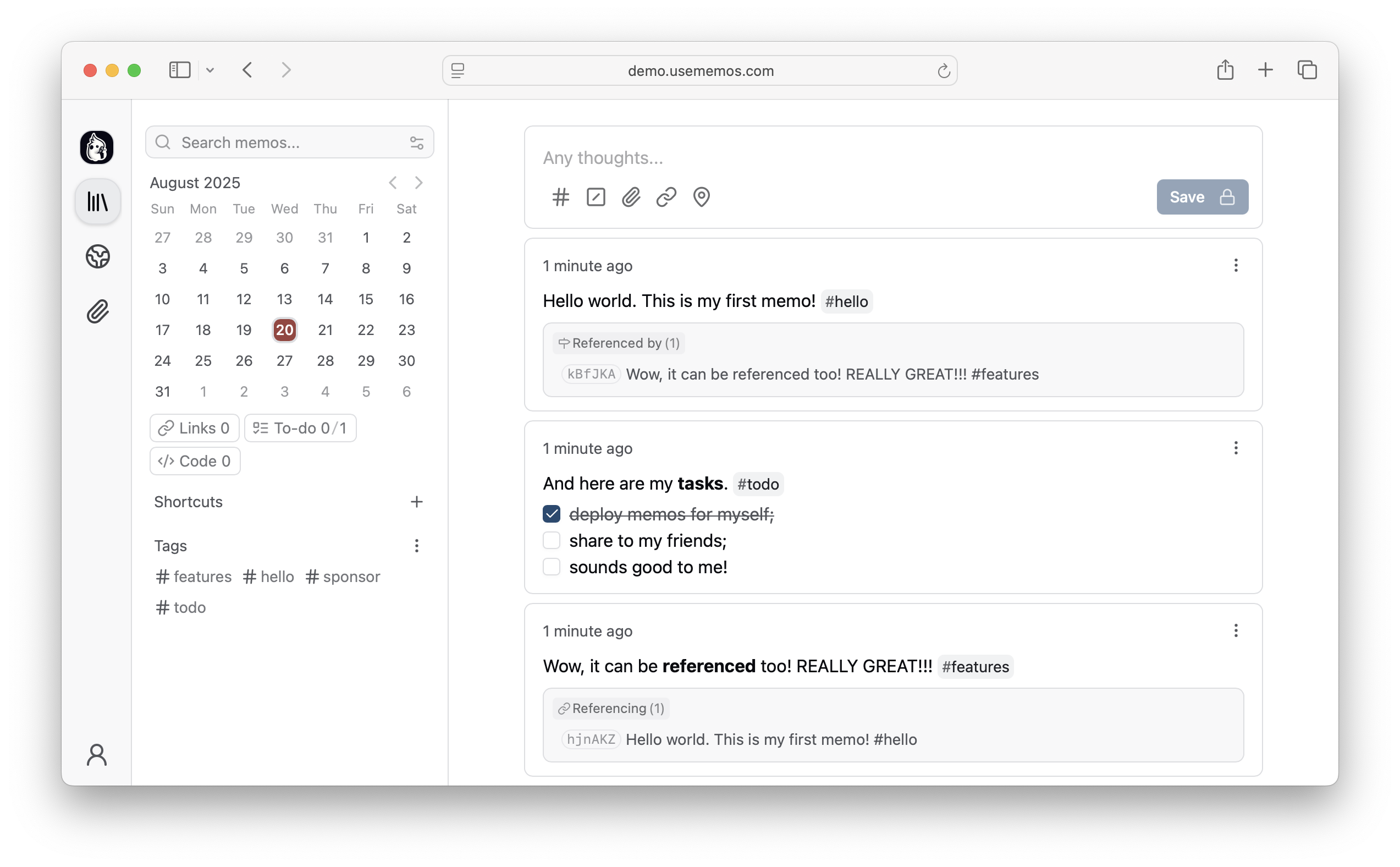
Memos is a timeline for your notes, and it belongs to you. Write in Markdown, post in seconds, and choose who sees each memo: just you, the people you invite, or anyone with the link.
Run with Docker · Try the live demo · Read the docs




Why Memos?
- Write first — Save a thought without choosing a title or folder. Memos are written in Markdown and can include images and files.
- Find it later — Search, filter by tag, or look back through any day on the timeline. Pin what matters and save the filters you reuse as views.
- Yours to keep — Self-host Memos with zero telemetry, MIT-licensed source, and a full export of your memos.
- Share when you choose — New memos are private. Make one visible to signed-in users or public when you want to share it.
Quick Start
Run Memos with Docker:
docker run -d \
  --name memos \
  -p 5230:5230 \
  -v ~/.memos:/var/opt/memos \
  neosmemo/memos:stable
Other install options are in the deployment guide.
Releases use YY.MM, with optional point releases such as 26.09.1 and release
candidates such as 26.09-rc.1. Calendar release tags have no v prefix. The Docker stable tag follows stable releases;
canary follows development builds. If upgrading from a release before v0.31.0,
run v0.31.0 successfully.
See the upgrade requirements for earlier versions.
Web Clipper
Save pages, selections, and images from your browser straight into Memos as source-linked Markdown. Get the Memos Web Clipper for Chrome or Firefox.
Sponsors


Love Memos? Sponsor the project on GitHub.
Get Help
Read the docs, join Discord, or ask in GitHub Discussions. Found a bug or have an idea? Open an issue. To contribute, see the contributing guide.
Star History